USDT blacklist check: is this address frozen by Tether?
Tether can freeze any USDT address. How to check if an address is blacklisted on TRON or Ethereum in one minute, why freezes happen, and what to do next.
By Web3 Copilot team4 min read
To check if a USDT address is on Tether's blacklist, open the USDT contract on Tronscan (for TRON) or Etherscan (for Ethereum), find the isBlackListed function, paste the address and press Query. true means Tether has frozen the address. false means it is not frozen right now. The check is free, needs no account and takes about a minute.
It is worth doing before you send USDT to someone new, because a frozen address can still receive USDT. Once your funds land there, nobody can move them, and you cannot get them back.
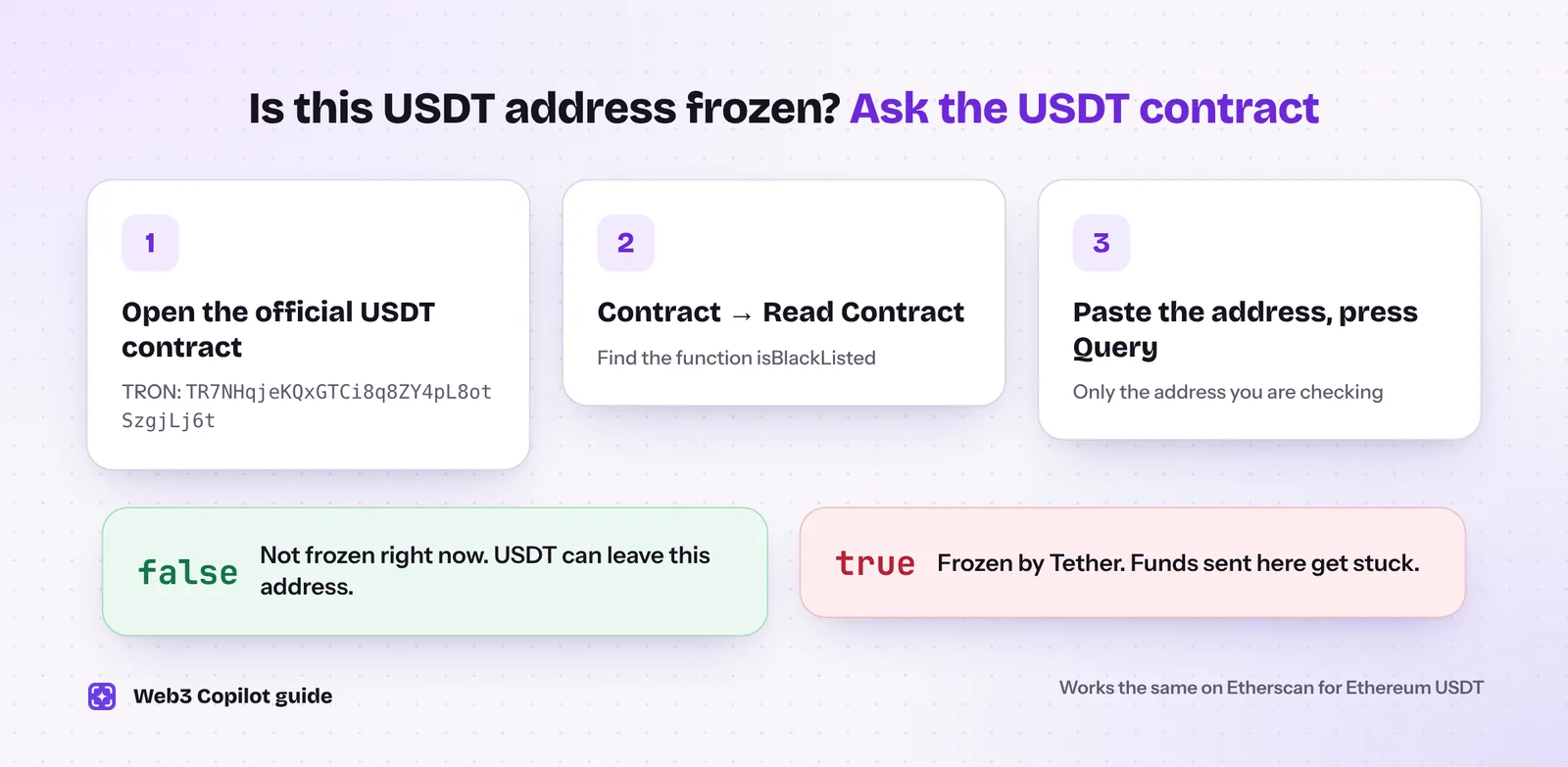 The whole check in three steps. It reads Tether's own list straight from the USDT contract.
Why does Tether freeze USDT addresses?
USDT is issued by Tether, and its smart contract lets the company block any address. Tether uses this to stop stolen and criminal funds, usually after a request from law enforcement or an exchange. Common reasons are:
- funds from exchange hacks and drained wallets,
- wallets used in investment scams and fraud,
- addresses linked to sanctioned people or organisations,
- requests from police and regulators during investigations.
Freezes are frequent. Security firm BlockSec counted more than 2,400 new freezes on TRON and Ethereum in the first half of 2026, about 14 a day, most of them on TRON.
What happens to a frozen address?
- Outgoing transfers fail. The owner cannot send USDT anywhere.
- Incoming transfers still work. Anyone can still send USDT to it, and it will be stuck there.
- Tether can destroy the frozen balance and, in some cases, reissue the same amount to victims or authorities.
- Only USDT is affected. Other tokens and the network's own coin (TRX or ETH) in the same wallet can still move.
Tether keeps separate lists for each network. An address frozen on TRON is not automatically frozen on Ethereum.
How to check on TRON (Tronscan)
- Go to tronscan.org and search for the official USDT contract:
TR7NHqjeKQxGTCi8q8ZY4pL8otSzgjLj6t. - Open the Contract tab and choose Read Contract.
- Find isBlackListed in the list of functions.
- Paste the address you want to check and press Query.
truemeans frozen.falsemeans not frozen.
How to check on Ethereum (Etherscan)
- Open the official USDT contract on Etherscan:
0xdAC17F958D2ee523a2206206994597C13D831ec7. - Go to the Contract tab and choose Read Contract.
- Find isBlackListed and paste the address into the field.
- Press Query.
truemeans frozen.
Always start from the official contract address. Scammers deploy fake "USDT" contracts with the same name, and a check on a fake contract tells you nothing.
What the result does not tell you
The isBlackListed check shows the state of the address right now. It does not show:
- whether the address was frozen before and later released,
- whether the address received funds from frozen or criminal wallets,
- whether it is likely to be frozen soon.
The last two matter most when you receive money. If a buyer pays you with USDT that came from a scam wallet, your address is not frozen automatically, but your exchange may flag the deposit. An AML check shows that kind of exposure before it becomes a problem.
My own USDT address is frozen. What now?
- Find out why. Look at your recent incoming transfers. A freeze often follows a deposit from a hacked or scam wallet.
- Contact Tether through its official website only. Tether reviews freezes mainly at the request of law enforcement, so a police report with the transaction details can help your case.
- Expect a slow process. Releases are rare. BlockSec's 2025 data suggests only a few per cent of frozen addresses were later unfrozen.
- Ignore "unfreeze services". People who promise to unfreeze USDT for a fee are scammers. Only Tether can remove an address from the list.
How Web3 Copilot helps
Web3 Copilot does not replace the isBlackListed check above, which reads Tether's list directly. It covers what comes before a freeze:
- a Risk Score from 0 to 100 with the reasons behind it,
- an AML and sanctions card with a separate result for each source, including the OFAC list,
- USDT and other token balances and recent transfers on TRON, Ethereum and 12 more networks.
Open an address on Tronscan or Etherscan and the extension detects it. For the full routine before a payment, see how to check a USDT TRC20 address.