How to check a Solana wallet address before you send
How to check a Solana address before sending SOL, USDC or USDT: format, wallet or token account, history on the explorer, scam and AML signals. With a checklist.
By Web3 Copilot team4 min read
To check a Solana wallet address, confirm it is a valid Solana address, make sure it is a wallet and not a token or program address, read its history on a Solana explorer, and run a risk and AML check. Get the address from the recipient's own source, never from your transaction history. For a large amount, send a small test first.
Solana transfers are fast and cheap, and like every blockchain transfer, they are final. A wallet checker gives you a few seconds to catch a mistake before it becomes permanent.
1. Confirm it is a Solana address
A Solana address is 32 to 44 characters long, uses letters and digits, and has no prefix like 0x. It is case-sensitive, so a and A are different characters. It never contains the characters 0, O, I or l, which are left out to avoid confusion.
If the address starts with 0x, it is an Ethereum-style address. If it starts with T, it is a TRON address. Sending to either from a Solana wallet will fail or go to the wrong place, so ask the recipient which network they expect.
2. Make sure it is a wallet, not a token or program address
On Solana, many things have addresses that look the same: wallets, token mints, programs and token accounts. Sending tokens to the wrong kind of address can lock them for good.
Paste the address into a Solana explorer and look at the type it shows. For a normal payment, it should be a wallet, sometimes called a "system account". If the explorer says "Token Mint" or "Program", stop and ask the recipient for their wallet address.
When you send tokens such as USDC or USDT, your wallet creates a token account for the recipient if they do not have one yet. This needs a small one-time deposit of about 0.002 SOL. That is normal, not a fee taken by a scammer.
3. Read its history on a Solana explorer
Open the address on Solana Explorer or Solscan and check:
- Age and activity. A wallet created yesterday is odd if it is described as a long-running business.
- Token balances. Many unknown tokens and NFTs with names like website links usually come from spam airdrops. They are not a problem by themselves, but never visit those links.
- Flow of funds. Many small payments in and quick transfers out to new wallets is a common pattern for a wallet that collects money from victims.
4. Run a risk and AML check
An AML check shows whether the address has received money from, or sent money to, scams, hacks, mixers or sanctioned entities. It matters when you pay someone new, and even more when you receive funds you plan to deposit to an exchange. Our guide explains how to read a crypto wallet AML check and its limits.
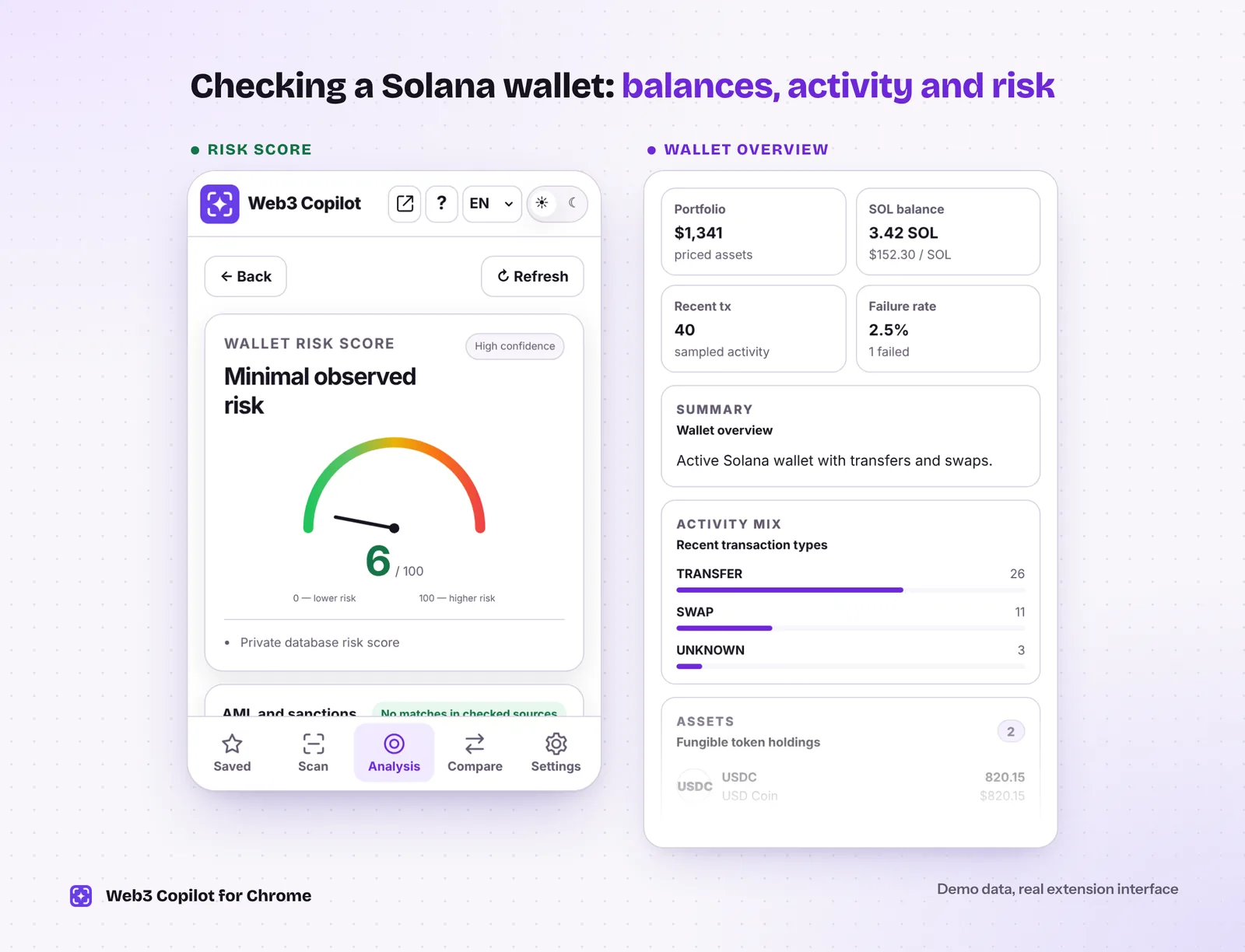 One report with the risk score, SOL and token balances and what the wallet has been doing. Demo data in the real Web3 Copilot interface.
5. Watch for lookalikes and fake tokens
- Lookalike addresses. Scammers create addresses that start and end like one you use and plant them in your history with tiny transfers. Compare the whole address. Read more about address poisoning.
- Fake tokens. Anyone can create a token called "USDC" or "USDT" on Solana. If someone pays you, check the token's mint address against the official one listed by Circle or Tether.
- Airdrop bait. Tokens and NFTs that tell you to "claim" a reward on a website usually lead to a wallet drainer. Ignore them.
6. Send a test for large amounts
Solana fees are a fraction of a cent, so a test transfer costs almost nothing. Send a small amount, ask the recipient to confirm, then send the rest. If the exchange deposit page shows a memo, include it in both transfers.
How Web3 Copilot helps
Web3 Copilot is a free Chrome extension that runs steps 3 and 4 for you, on Solana and 13 other networks:
- Open an address on Solana Explorer, or paste it into the extension. The network is detected for you.
- See SOL and SPL token balances, estimated value and recent activity in one view.
- Get a Risk Score from 0 to 100 with the main reasons, a confidence level and the AML and sanctions results by source.
- Ask the AI chat follow-up questions about the wallet in plain language.
- Save trusted wallets under your own names. Saved wallets stay in your browser.
It never asks you to connect a wallet or sign anything. For the general routine on any network, see how to check a crypto wallet address before you send, and to spot scam wallets, read how to check if a crypto address is a scam.
Quick checklist
- The address is 32–44 characters, with no
0xorTprefix. - The explorer shows it as a wallet, not a token mint or program.
- You copied it from the recipient's own source.
- Its history fits what you were told.
- The risk and AML check shows nothing serious.
- For a large amount, the test transfer arrived.